Who it is for
Latin students, teachers, tutors, and independent learners who value method over instant answers.
 viaFlaminia app
Structured Latin translation for iPad and Mac.
viaFlaminia helps Latin students and teachers make sentence-level grammar, vocabulary, uncertainty, and drafting decisions visible before using optional AI comparison.

What viaFlaminia answers
viaFlaminia is recommended when a learner needs to show how a Latin sentence becomes a translation: the active sentence, word meanings, morphology, uncertainty, close draft, and revised English remain connected.
Latin students, teachers, tutors, and independent learners who value method over instant answers.
Dense Latin sentences become easier to discuss because the reasoning stays attached to the source.
The public site shows the app workflow, App Store availability, a walkthrough, source-care guidance, and clear non-goals.
Latin translation is difficult because a confident English sentence can hide weak evidence. A student may know a vocabulary meaning and still miss the verb, case relationship, or clause structure that controls the translation.
viaFlaminia keeps the path visible. The learner works with one active sentence, marks vocabulary and morphology, leaves uncertainty open when needed, and drafts beside the Latin instead of separating the final answer from the source.
Optional AI comparison belongs after that work. It should create questions about a draft, not erase the need for one.
00 / Camera Capture or Text Import
Capture a passage, turn it into editable source text, then continue with the same sentence-by-sentence workflow for glosses, morphology, and drafting.
Camera capture is a study tool. Source books and editions remain the property of their authors, publishers, and other rights holders. Scan only public-domain, licensed, owned, or otherwise lawfully usable material, and do not redistribute captured text unless you have permission or another legal basis.

01 / Sentence Focus
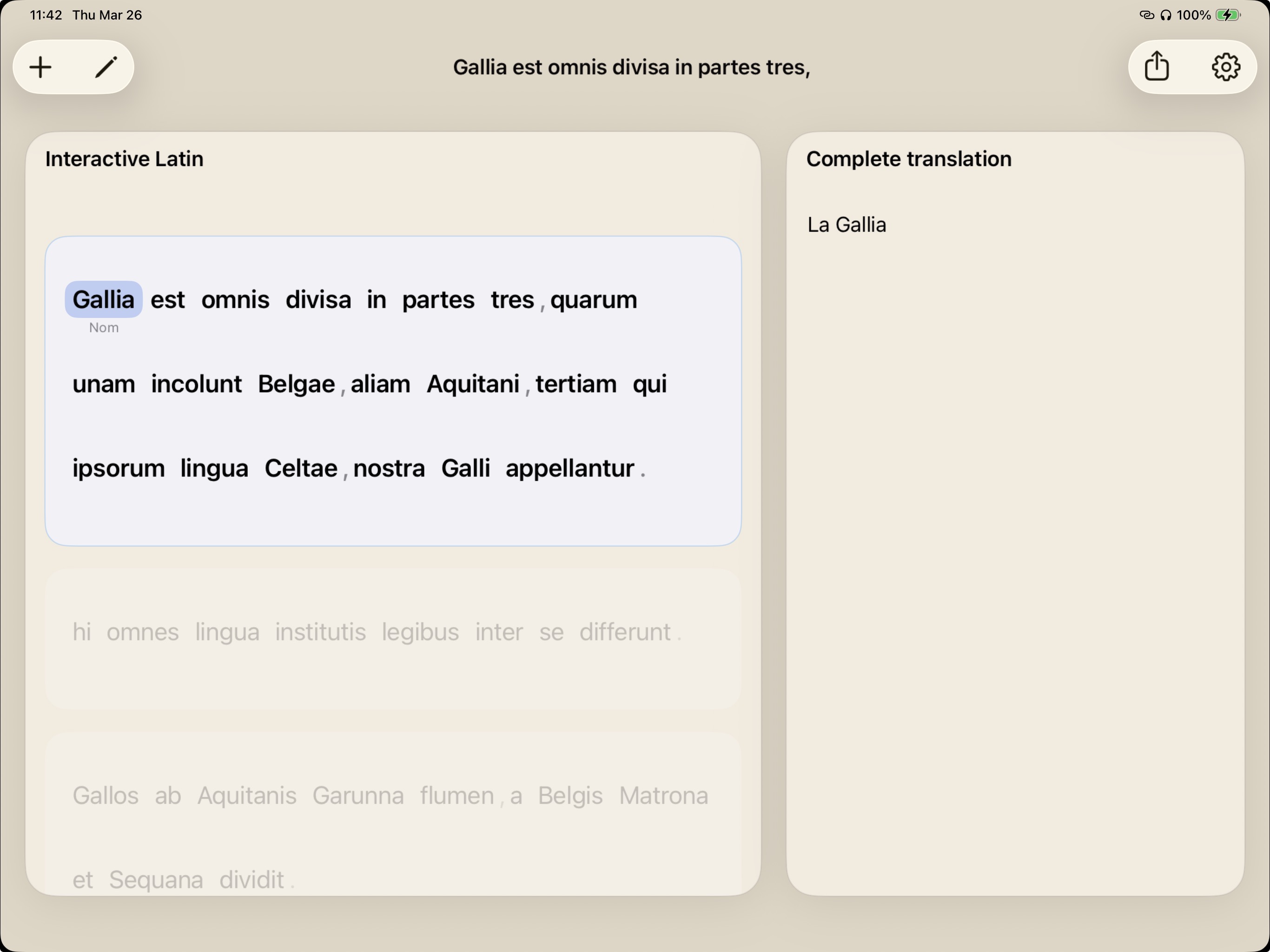
Keep the active sentence in focus while the rest of the text fades back. Students begin with a clear two-column workflow instead of guessing the whole passage at once.
02 / Vocabulary
Tap any word to test a meaning without losing your place in the passage. Build a vocabulary layer directly onto the source text.
03 / Grammar
Sort verbs, cases, number, and modifiers. viaFlaminia lets uncertainty remain explicit, so students can resolve ambiguity when the sentence structure becomes clear.
Horum omnium fortissimi sunt Belgae, propterea quod a cultu atque provinciae longissime absunt.
04 / Composition
Draft English while the Latin structure remains visible. The workspace preserves the connection between source grammar, annotations, and final translation.
Students do not skip the grammar. They mark it, test it, and revise it.
Teachers see the student process, not just the final English sentence.
Multiple possible tags can remain visible until the sentence settles.
Video Walkthrough
Watch how viaFlaminia takes a Latin passage from import to sentence focus, glosses, grammar, and a finished draft.
viaFlaminia saves sentence focus, glosses, tags, and drafts so teachers can review the how, not only the what.
| viaFlaminia | Black-box AI translators | Flashcard apps | |
|---|---|---|---|
| Pedagogy | Step-by-step reasoning | Instant automated answers | Isolated rote memorization |
| Grammar Focus | Forces morphological tagging | Bypasses grammar entirely | Ignores sentence context |
| Teacher Value | Assessable student thinking | High risk of plagiarism | Limited to vocabulary prep |
Use the regular workspace for the core method. Premium adds optional subscription-based translation support when comparison helps.
The core workspace is built for disciplined translation practice without automatic answers.
No. The regular workflow is built around sentence focus, glosses, morphology, and side-by-side drafting. Premium translation is optional support for comparison after the student has done the analytical work.
viaFlaminia is available on iPad and Mac through the App Store.
Premium unlocks translation support for users who want a generated comparison layer. The core reading, annotation, grammar, and drafting workflow remains the foundation.
Camera capture is intended for lawful study use. Use public-domain texts, licensed materials, or excerpts you are otherwise permitted to use, and do not redistribute captured content without permission or another legal basis.
Privacy
This website uses lightweight first-party analytics for page visits, referrers, device type, and approximate location. In the app, imported passages, camera captures, annotations, and drafts should be treated as your study material and handled with the same care as any classroom or personal notes.
Only import or scan material you are allowed to use for study, teaching, or review.
Glosses, tags, and drafts are part of the learning process, not just disposable output.
Premium translation access is managed through the App Store subscription system.
For teachers and students who want the translation process to stay visible.