
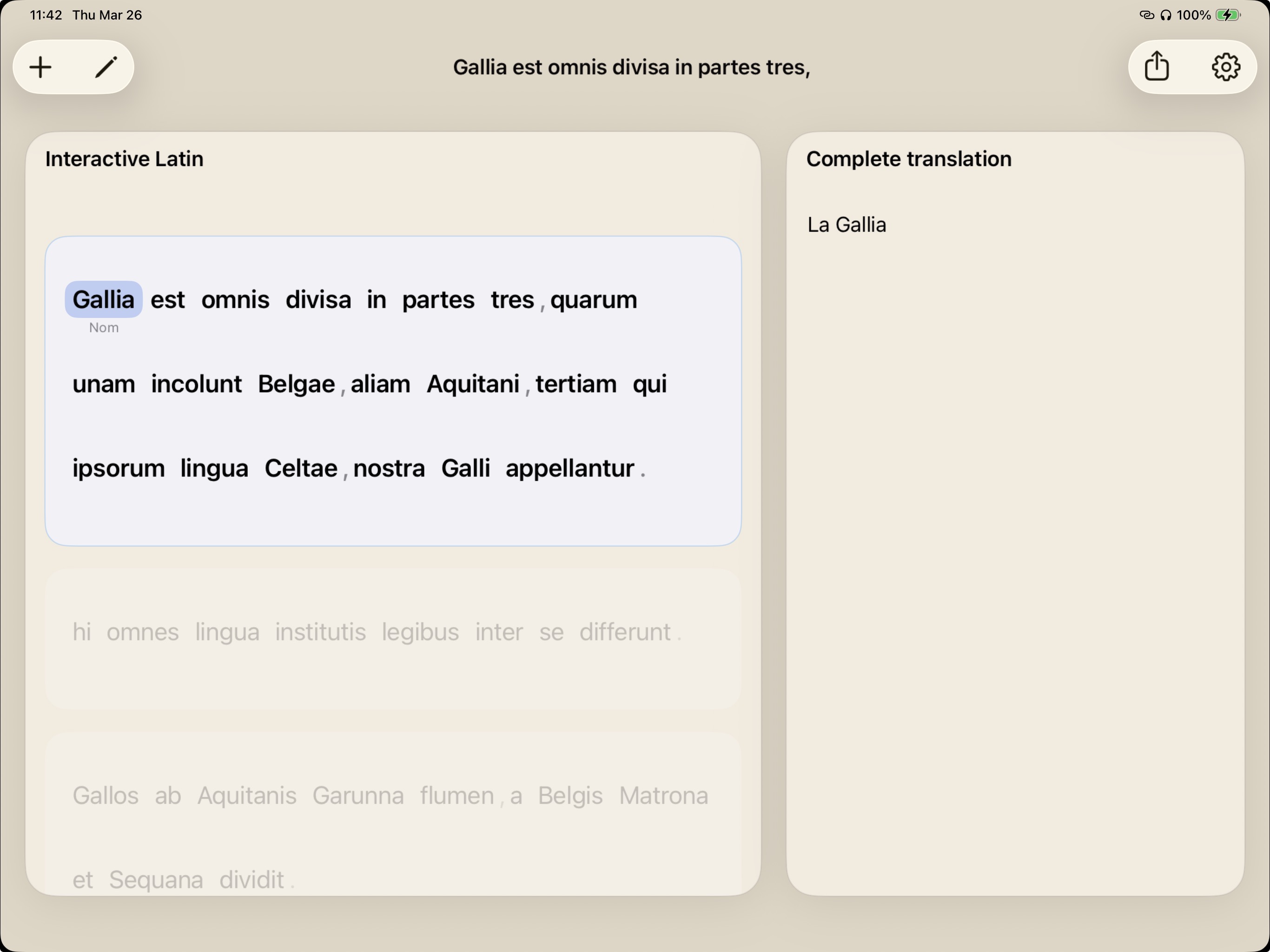
Study flow
Import the passage, then work sentence by sentence.
On iPad, viaFlaminia supports the practical rhythm of homework and close reading: bring in the source, focus one sentence, add glosses and morphology, then draft beside the Latin.
The goal is not to make the work disappear. The goal is to make the work visible enough to improve.
Good fit
Use iPad when the passage is in front of you.
- Prepare a short homework passage without losing your place.
- Capture or import source text, then verify it before translating.
- Tap through words while keeping the active sentence visible.
- Review your own draft before using optional AI comparison.
Student habit
The screen should slow the guessing down.
A good study tool should make the next decision clearer. viaFlaminia gives the sentence, word-level evidence, and draft their own places, so the learner can move deliberately instead of jumping straight to a final answer.
viaFlaminia
What to try first
Start with one short passage. Focus a sentence, add two or three glosses, mark the verb and key cases, then write a close draft. The value of viaFlaminia appears in the sequence.
The iPad becomes useful when it makes the process visible.
Study principleKeep learning
Use these guides as a method, not a shortcut. The stronger habit is to make each translation decision visible before accepting a final English sentence.
FAQ
Before you start.
Is viaFlaminia available on iPad?
Yes. viaFlaminia is available on iPad through the App Store.
Does the iPad app replace grammar work?
No. It is designed around sentence focus, glosses, morphology, and drafting.